
For members
Walk in with no plan?
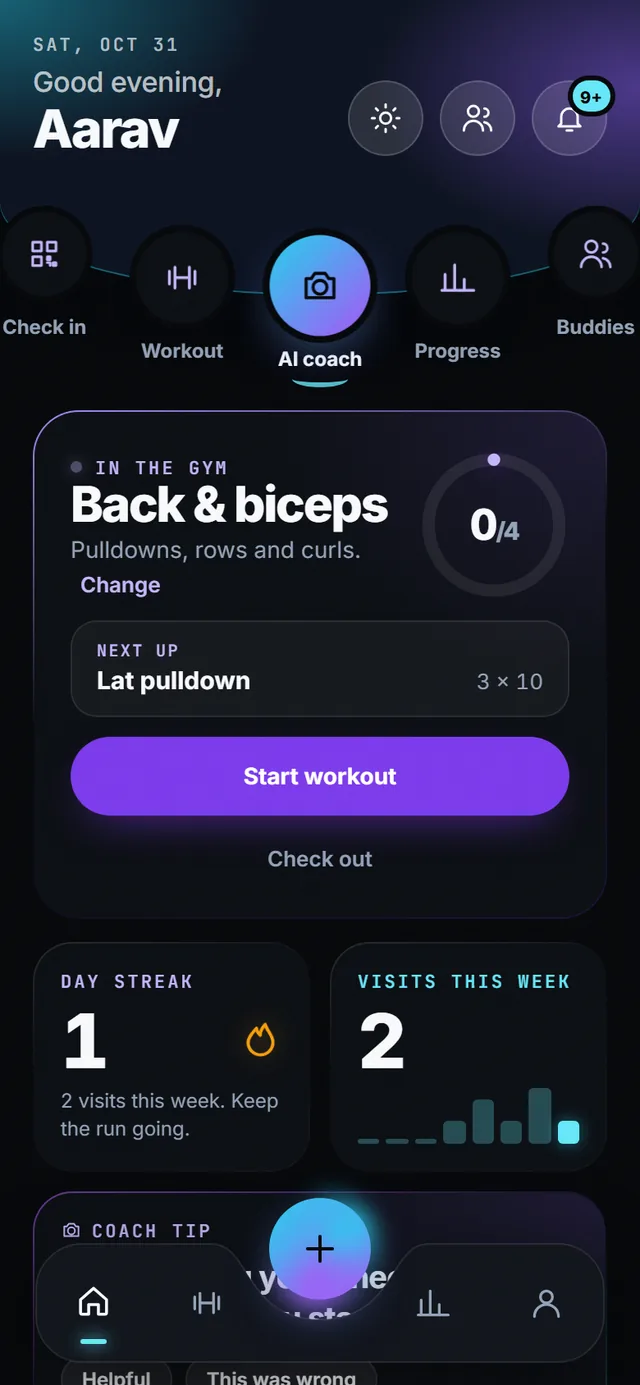
Check in and the app tells you what to train today, then logs every set.
The suggestion follows the twice-a-week-per-muscle guideline: the muscle group that is most rested comes first. You can always pick something else, and everything you do is written down.
- 4 session types
- 2× a week per muscle, the rule it follows
- 30 s shorts for every exercise
- Offline logging that syncs later
How it works
-
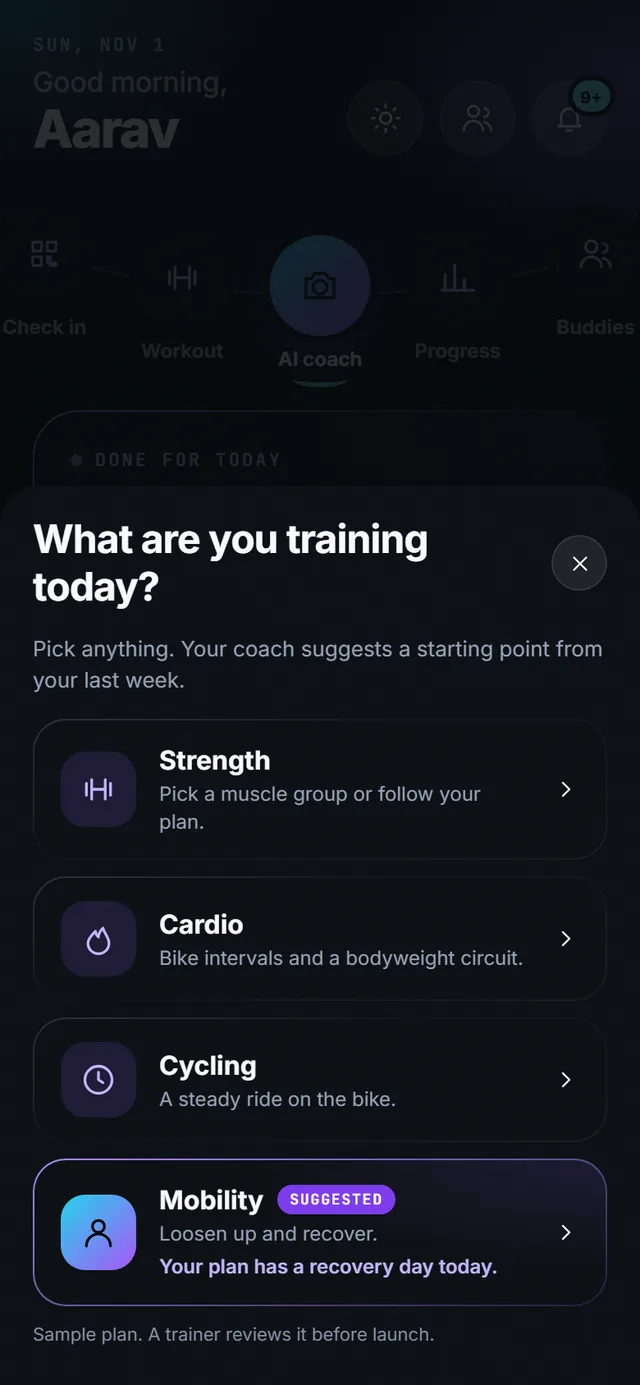
Pick what kind of session
Strength, cardio, cycling or mobility. The app marks the one it suggests and says why: “Your plan has a recovery day today”, or the muscle group you have not trained this week. Tap anything else if you feel different.
-
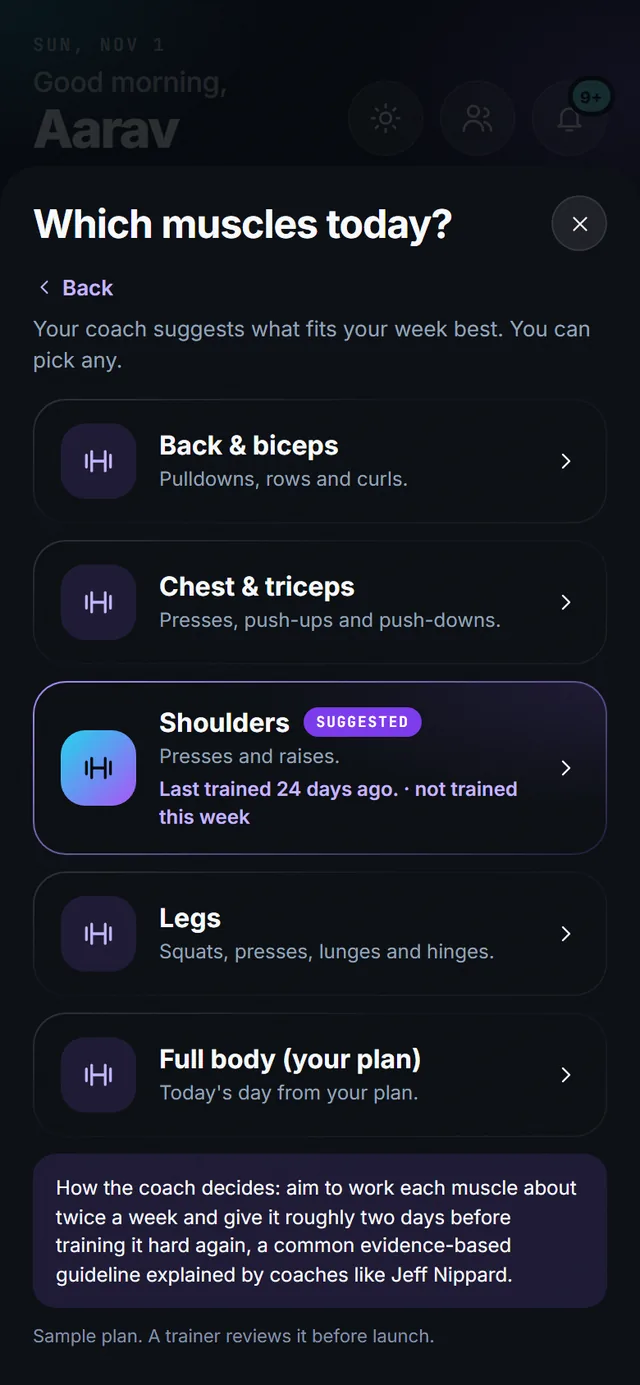
Then which muscles
Back and biceps, chest and triceps, shoulders, legs, or today’s day from your plan. Each one shows when you last trained it, so “Shoulders · last trained 24 days ago · not trained this week” is the obvious pick. The rule aims for each muscle about twice a week with roughly two days between.
-
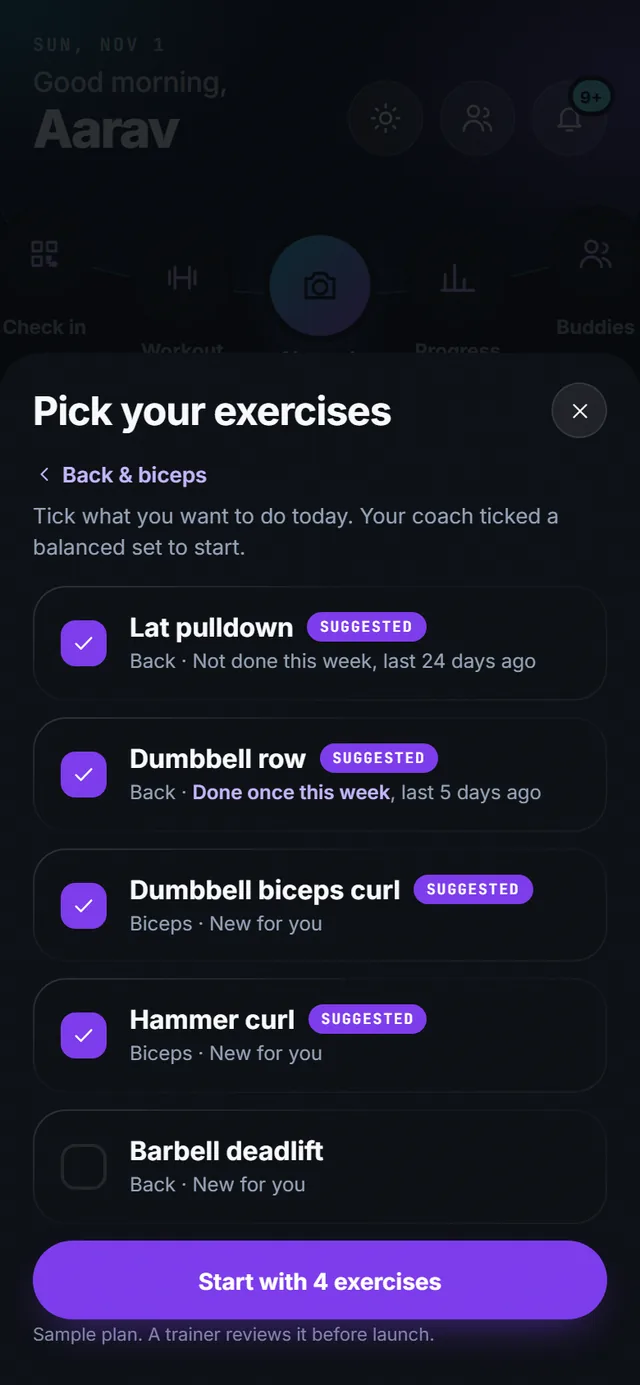
Tick the exercises you want
The coach pre-ticks a balanced set. Every exercise shows how many times you did it this week and the last time you did it, so the gaps are obvious and you are not doing the same three lifts forever. Add or remove with one tap, then start.
-
Log every set as you go
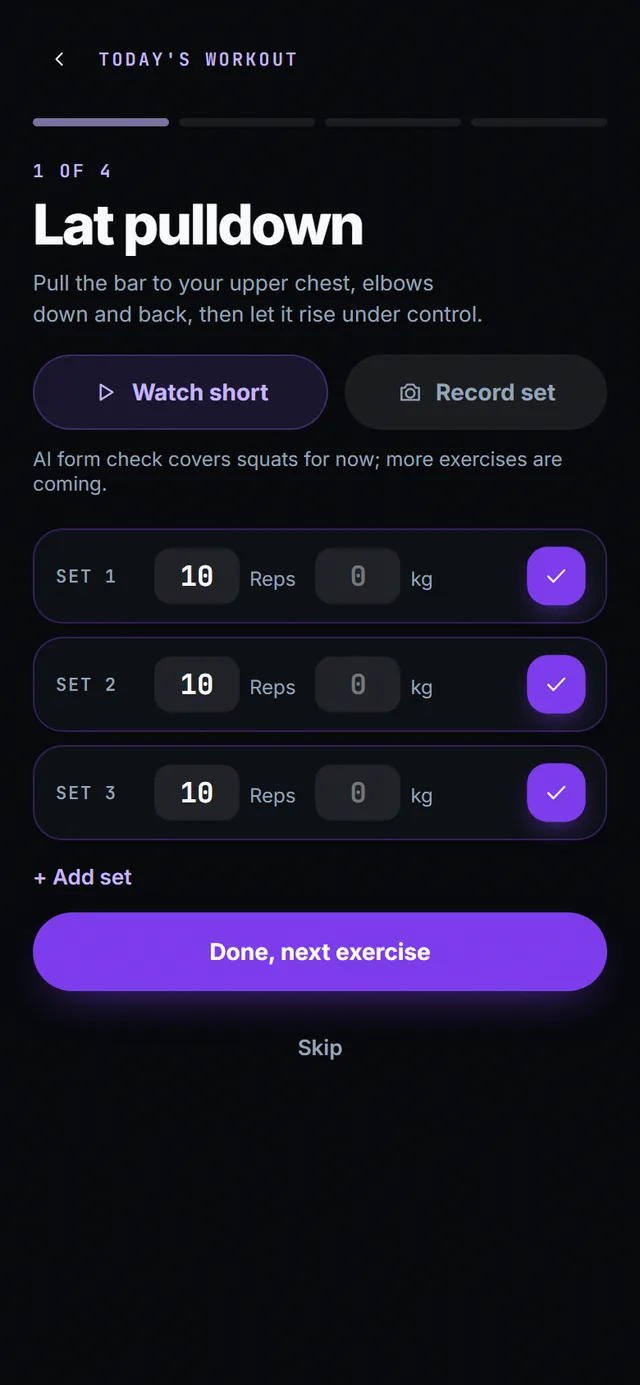
Reps and kilograms for strength, timed sets for cardio and mobility. Add a set, skip an exercise, or watch the short if you forgot the move. On squats, “Record set” hands the counting to the AI coach. Logging works offline and syncs when you are back online.
-
Follow a plan, or train freestyle
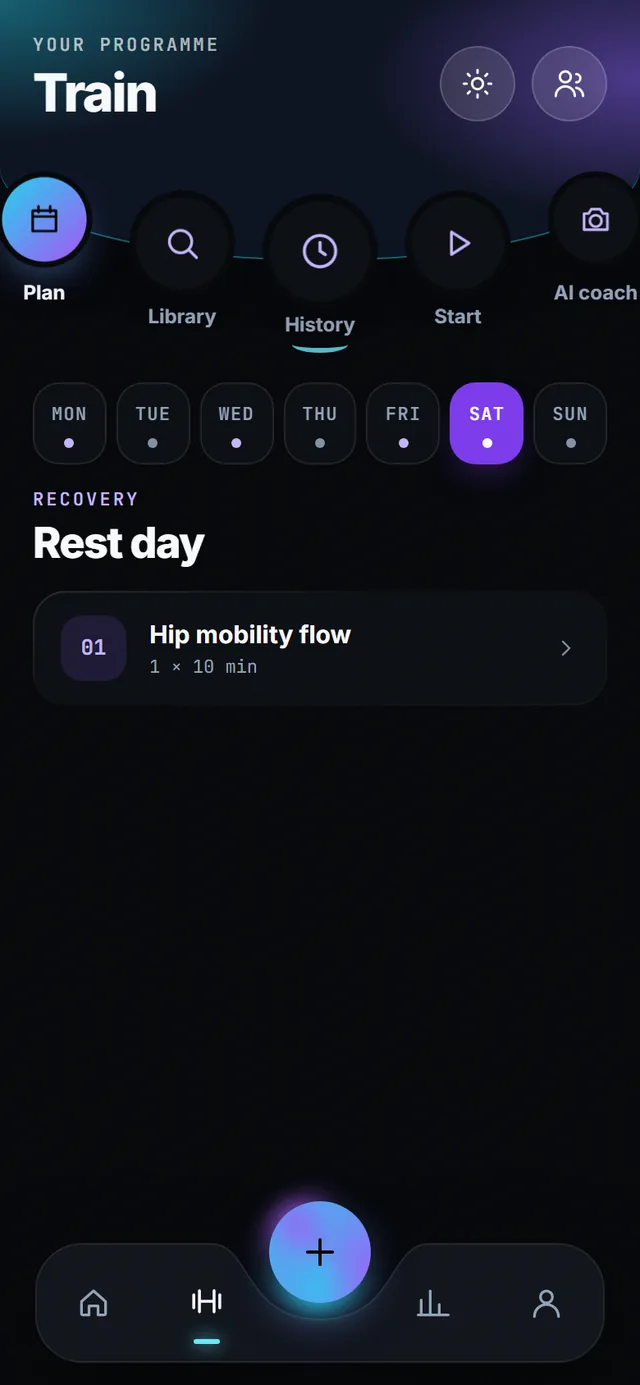
Your programme shows the week day by day with rest days marked. The home screen shows today’s session ticked off, your streak and visits this week, so you can see the week stacking up.
What you get
-
Suggested, not forced
The rule looks at your last seven days and picks the muscle group trained least, then the one rested longest. Override it with one tap; the app never locks you into its suggestion.
-
Exercise library with shorts
Every exercise has a how-to and a short from a well-known coach that plays inside the app. Thirty seconds, then back to the set.
-
This-week counts on every exercise
Each exercise in the picker shows how many times you did it this week and when you last did it. Gaps are visible before you start, not in a spreadsheet later.
-
Record a set with the camera
On squats, hand the set to the AI coach and it counts reps and checks form for you. Everything else you log by hand.
-
Streaks and visits
Check-ins build a day streak and a visits-this-week count on the home screen. Miss a day and the streak resets, which is the point.
-
History
Every logged set is kept with its date, reps and kilograms, and feeds your gains, personal bests and badges.
Today’s limits
- Sample plans are reviewed by a trainer before launch; today’s plan is a demo.
- Shorts play inside the app and need a connection.
Questions
Can I ignore the suggestion?
Yes. Pick any session or any exercises. The suggestion is a starting point.
Does it work offline?
Logging works offline and syncs when you are back online. Shorts need a connection.
Can my trainer give me a plan?
Plans are a programme the app follows day by day. Trainer-authored plans per member are planned, not shipped yet.